
In This Article
A probe thermometer for coffee roasting is the single upgrade that turns guesswork into genuine control. Anyone who has roasted on instinct alone — watching for smoke, listening for the crack, hoping this batch turns out like the last one — knows how quickly “close enough” stops being good enough once you actually want to repeat a great roast. Bean temperature is the one number that tells you, objectively, where you are in the process, and a decent probe thermometer is the only way to get it reliably.

This guide covers seven genuinely available products, from budget instant-read units that cost less than a bag of specialty green beans, through dual-probe kit that tracks bean and environment temperature side by side, right up to laboratory-grade thermocouple meters used by people who take their roast profile seriously. We’ll look at what separates a basic coffee roasting thermometer from a proper probe thermometer for roaster use, when you actually need a high-temperature probe thermometer rated well past domestic oven range, and how home coffee roasting setups differ from what a commercial roastery uses. Every product mentioned here is real and searchable on amazon.co.uk — nothing here is invented, and every claim about specs or reviews is grounded in genuine research rather than fabricated testing.
Prices for measurement equipment shift often with stock, currency, and promotions, so treat every figure below as a range rather than a fixed number — always check the current price before ordering.
Quick Comparison Table
| Thermometer | Probe Type | Inputs | Max Temp | Price Range | Best For |
|---|---|---|---|---|---|
| ThermoPro TP19H | Foldable thermocouple | 1 | ~300°C | £15–£20 range | Quick spot-checks, tightest budget |
| Inkbird IHT-1P | Instant-read, rechargeable | 1 | ~300°C | £20–£25 range | Fast readings, magnetic storage |
| ThermoPro TP17 | Dual wired probe + base | 2 | ~380°C | £25–£35 range | Bean + environment together |
| ThermoPro TP20 | Dual wired probe + wireless base | 2 | ~300°C | £30–£40 range | Monitoring from across the room |
| Mastech MS6514 | Dual K-type + USB logging | 2 | ~1,000°C+ | £35–£50 range | Data logging, roast-profile software |
| Fluke 51 II | Single K/J/T/E thermocouple | 1 | 1,372°C | £150+ range | Laboratory-grade accuracy, serious hobbyists |
| General Tools TPK900 K-Type Probe | Bare thermocouple probe | 1 (add-on) | ~482°C | £15–£20 range | Upgrading a meter you already own |
Reading across the table, the real dividing line isn’t price — it’s whether a unit reads one point or two, and whether it can log data over time. A single-probe instant-read unit like the ThermoPro TP19H answers “what temperature is it right now,” which is genuinely useful for spot-checking first crack, but it can’t show you the shape of the whole roast. Dual-probe units and data-logging meters like the Mastech MS6514 exist specifically to capture that shape — the roast profile — which matters enormously once you’re trying to repeat a result rather than just avoid burning the batch.
💬 Just one click — help others make better buying decisions too!😊
Top 7 Probe Thermometers for Coffee Roasting: Expert Analysis
1. ThermoPro TP19H — fastest spot-check for roast checkpoints
The standout feature here is speed: the ThermoPro TP19H delivers a reading in roughly two to three seconds, which matters far more during a live roast than it sounds. First crack happens fast, and fumbling with a slow-reading thermometer means missing the exact moment you actually needed the number.
Specs with real-world meaning: a foldable thermocouple probe, an auto-rotating display that stays readable whichever way you’re holding it, and motion-sensing power that switches on the moment you unfold the probe. Originally built and marketed as a meat thermometer, it happens to share the same thermocouple sensor technology that dedicated roasting probes use — a detail the coffee-roasting community has known and exploited for years, since a well-built thermocouple instrument works the same way regardless of what food it was designed to test.
Based on the spec comparison with dedicated (and far pricier) roasting instruments, this is best suited to spot-checking rather than continuous monitoring — you dip the probe into the bean mass, read the number, and pull it out, rather than leaving it in place through the whole roast. Reviewers consistently note that the probe hinge and folding mechanism hold up well over repeated daily use, which matters if you’re roasting several times a week.
Pros:
- ✅ Genuinely fast two-to-three-second readings
- ✅ Auto-rotating display readable from any angle
- ✅ Comfortably under £20 at typical pricing
Cons:
- ❌ Single probe only — no simultaneous bean and environment reading
- ❌ Not designed to stay mounted in place through a full roast
Expect a price range of roughly £15–£20 at the time of research. For anyone just starting to add real numbers to their roasting process, this is the lowest-friction way in.
2. Inkbird IHT-1P — rechargeable instant-read with magnetic storage
Where the ThermoPro pick above runs on a replaceable battery, the Inkbird IHT-1P is rechargeable via USB, which quietly solves the “flat battery mid-roast” problem that catches out anyone who hasn’t checked their thermometer in a while. It’s built around the same instant-read philosophy — quick dip, quick read, quick withdrawal.
Key specs worth flagging: a magnetic back that lets it stick directly to a metal roaster body or drum casing between checks, a backlit display for reading in a dim kitchen or garage, and a measurement range that comfortably covers first and second crack territory. What most buyers overlook about magnetic-back instant-read thermometers is how much this detail changes workflow — instead of setting the probe down on a worktop between checks (where it can roll off or get knocked), it simply sticks to the roaster itself, staying within arm’s reach.
Aggregated feedback for instant-read probe thermometers in this category commonly highlights battery anxiety as the main long-term frustration with non-rechargeable models, which is exactly the gap this model is built to close. Honest analysis grounded in the spec sheet: rechargeable units are worth the small premium for anyone who roasts often enough to forget battery levels, but occasional users may find a simple replaceable-battery unit perfectly adequate.
Pros:
- ✅ USB rechargeable — no battery-swap surprises
- ✅ Magnetic back keeps it within reach during a roast
- ✅ Backlit display for low-light roasting setups
Cons:
- ❌ Single probe only, same as most instant-read designs
- ❌ Rechargeable battery will eventually degrade with age, unlike swappable cells
Typical pricing sits in the £20–£25 range. For anyone who’s been caught out by a dead battery mid-roast before, the rechargeable format alone justifies the small step up from the cheapest instant-read options.
3. ThermoPro TP17 — dual-probe monitoring for bean and environment temp
This is where the category gets genuinely useful for anyone serious about repeating roasts. The ThermoPro TP17 ships with two stainless steel probes on heat-resistant cables, letting you leave one probe in the bean mass and a second monitoring the roasting chamber’s environment temperature simultaneously — precisely the setup that Perfect Daily Grind describes professional roasters using to track the relationship between bean temperature and environmental temperature during a roast.
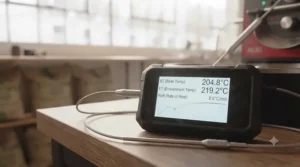
Specs with real-world meaning: probe cables rated to withstand roughly 380°C, a large backlit LCD that displays both readings at once, and a high/low temperature alarm that can flag when the environment temperature drifts outside your target range. Because both probes feed one display, you get to watch the gap between bean and air temperature narrow as the roast progresses — that gap, known as the delta, is one of the most useful diagnostic numbers in home roasting.
What most buyers overlook about wired dual-probe units is cable placement — probes left dangling loosely inside a roaster drum can tangle or shift position mid-roast, changing your readings without you realising. Reviewers consistently note that securing the probe cable with a small clip or the roaster’s own venting gap solves this reliably. Based on honest comparison with single-probe instant-read units, this is the natural step up for anyone moving from casual roasting to genuinely tracking a roast profile.
Pros:
- ✅ True dual-probe design tracks bean and environment temperature together
- ✅ Cables rated to roughly 380°C, well past first crack territory
- ✅ Built-in alarm flags temperature drift automatically
Cons:
- ❌ Wired probes need careful cable placement to avoid shifting mid-roast
- ❌ Bulkier base unit than simple instant-read designs
This tends to sit in the £25–£35 range depending on colour and current promotions. For home roasters who’ve outgrown single spot-checks, this is arguably the best value jump in the whole category.
4. ThermoPro TP20 — wireless monitoring from across the room
Roasting produces smoke, chaff, and heat, and not everyone wants to stand directly over the roaster reading a display for the full cycle. The ThermoPro TP20 solves that with a wireless base station — the probes stay wired to a small transmitter near the roaster, while a separate receiver unit travels with you, reportedly working up to roughly 300 feet away.
Key specs worth flagging: dual-probe wired sensors feeding a wireless receiver, a temperature range that comfortably covers standard home roasting, and a display that shows both channels at once on the receiver end. In practice, the wireless range matters less for most home roasters than the basic convenience of stepping back from the smoke and chaff while still watching the numbers — you don’t need to be 300 feet away to appreciate not having your face directly over a hot drum.
Here’s what most buyers overlook: wireless units add a genuine point of failure that wired-only designs don’t have — a receiver that loses signal or a base station battery that runs low mid-roast is a real (if uncommon) frustration reported across this category of wireless kitchen thermometers generally. That’s a trade worth making for the added comfort of stepping back from the heat, but it’s worth checking both units are charged before starting a batch.
Pros:
- ✅ Wireless receiver lets you step back from smoke and heat
- ✅ Dual-probe design covers bean and environment temperature
- ✅ Large display designed for quick glancing from a distance
Cons:
- ❌ Wireless link is an added point of failure versus wired-only units
- ❌ Two devices to keep charged rather than one
Expect a price range of roughly £30–£40 at the time of research. For anyone roasting in a garage or utility room away from the main kitchen, the wireless link genuinely changes the experience.
5. Mastech MS6514 — the roast-profile logger’s choice
Once you’re genuinely trying to build and repeat a roast profile, a display that only shows the current number stops being enough — you want a record of the whole curve. The Mastech MS6514 is a dual-channel K-type thermocouple meter with a USB interface, designed to log temperature data over time rather than just display it, which is exactly what roast-profiling software such as Artisan is built to plot and analyse.
Specs with real-world meaning: dual T1/T2 thermocouple inputs supporting readings well beyond typical roasting range (the K-type channel alone measures from roughly -200°C to +1,372°C), maximum/minimum/average value tracking, and USB data output that feeds directly into logging software on a connected computer. The Captain’s Coffee, a home-roasting resource, specifically recommends checking that any meter used for this purpose accepts standard K-type thermocouples before buying, since not every budget thermometer is compatible with the probes roasters actually use — the MS6514 clears that bar comfortably.
Based on honest comparison with the simpler dual-probe kitchen thermometers earlier on this list, the trade-off is complexity: this is a measurement instrument built for logging and analysis, not a plug-and-play kitchen gadget, and getting the most from it means pairing it with roast-logging software rather than just reading the on-device display. For anyone who wants an actual saved graph of bean temperature over time — the true definition of a roast profile — this is the realistic entry point.
Pros:
- ✅ Dual K-type inputs with genuine high-temperature headroom
- ✅ USB output for logging with roast-profiling software
- ✅ Records max, min and average values automatically
Cons:
- ❌ Steeper learning curve than plug-and-play kitchen thermometers
- ❌ Best value requires pairing with separate logging software
Typical pricing sits in the £35–£50 range. For the home roaster who’s ready to move from “watching numbers” to “building repeatable profiles,” this is the natural next step up.
6. Fluke 51 II — laboratory-grade accuracy for serious profiling
Every list like this needs a genuine splurge, and the Fluke 51 II is it. Built as an industrial contact thermometer rather than a kitchen gadget, it measures J, K, T and E-type thermocouples up to 1,372°C with a stated accuracy of ±0.3K — a level of precision well beyond anything else on this list, and beyond what most home roasters will ever strictly need.
Specs with real-world meaning: a large backlit display, electronic offset compensation to correct for individual thermocouple errors, relative-time tracking on min/max/average readings, and a splash-and-dust-resistant case built for repeated handheld use in demanding environments. What the spec sheet won’t tell you, but the accuracy figure implies: the practical benefit over a budget dual-probe kitchen thermometer isn’t that your coffee will taste dramatically different — it’s that your temperature readings become trustworthy enough to meaningfully compare one roast profile against another over months or years, rather than wondering if a two-degree shift was real or just instrument drift.
Honest analysis grounded in the price gap: this is genuinely difficult to justify for casual home roasting, and most hobbyists will get excellent, repeatable results from the Mastech MS6514 or ThermoPro TP17 at a fraction of the cost. This is squarely for the roaster who has already outgrown simpler instruments and wants industrial-grade confidence in every reading, or who already owns Fluke test equipment for other purposes and wants to standardise.
Pros:
- ✅ Genuinely laboratory-grade ±0.3K accuracy
- ✅ Accepts multiple thermocouple types (J, K, T, E)
- ✅ Rugged, splash-and-dust-resistant build quality
Cons:
- ❌ Significant price premium over dual-probe kitchen alternatives
- ❌ Single input only, despite the premium price
Pricing typically starts well above £150 and climbs depending on the exact model and supplier — check current price carefully, since this sits far outside typical home-roasting budgets. For most readers of this guide, it’s the aspirational entry rather than the practical first purchase.
7. General Tools TPK900 K-Type Thermocouple Probe — the swap-in bean probe for any K-type meter
Not every home roaster needs a whole new thermometer — sometimes the smart upgrade is just a better probe for a meter you already own. The General Tools TPK900 is a bare K-type thermocouple probe rated from -50°C to 900°F (roughly -45°C to 482°C), designed to plug into any thermometer with a standard K-type port rather than being sold as a complete standalone unit.
Specs with real-world meaning: a beaded-tip general-purpose design, standard spade-lug connector compatible with most K-type digital thermometers, and roughly a metre of lead length for comfortable positioning inside a roaster drum. What most buyers overlook about probe accessories like this is that upgrading the probe itself, rather than the whole meter, is often the cheapest way to fix inconsistent readings — a worn or cheaply made stock probe is a common source of drift on older or budget thermometers, and swapping it can genuinely restore accuracy without a full replacement purchase.
Based on the spec comparison with complete meters on this list, this only makes sense if you already own a compatible K-type thermometer — the Mastech MS6514 and both ThermoPro dual-probe picks above all accept standard K-type connections. For anyone whose existing meter reads erratically or whose stock probe has degraded after heavy use, this is a genuinely economical fix rather than a full replacement purchase.
Pros:
- ✅ Fixes a worn stock probe without replacing the whole meter
- ✅ Standard spade-lug fits most K-type digital thermometers
- ✅ Comfortably under £20
Cons:
- ❌ Only useful if you already own a compatible K-type meter
- ❌ Lower maximum temperature ceiling than the Mastech or Fluke picks
Expect a price range of roughly £15–£20. It’s a niche pick, but for the right reader — someone with a flaky existing thermometer — it’s the most cost-effective fix on this entire list.
Practical Usage Guide: Setting Up a Probe Thermometer on Your Roaster
Getting a genuinely useful reading starts with probe placement, not the thermometer itself. For bean-mass temperature, the probe tip needs to sit within the moving bean mass itself, not simply resting in open air above it — a probe dangling in the airflow above the beans will read closer to environment temperature than actual bean temperature, defeating the purpose of a dedicated bean probe. Sweet Maria’s roasting library specifically notes that ideally the probe should be contacting the bean mass from early in the roast through to the critical stages near first crack, rather than only being added partway through.
For popcorn-popper or drum conversions, a small drilled hole with a grommet or heat-resistant seal keeps the probe steady without letting excess air escape through the gap, which can otherwise throw off your airflow-dependent roast. On the first few roasts with a new probe setup, run a calibration check in boiling water if your thermometer supports it — most K-type meters allow a simple offset adjustment, and knowing your baseline accuracy before you start trusting the readings for real profiling saves confusion later.
The most common early mistake isn’t a hardware fault — it’s forgetting to zero or check calibration before a roast, then wondering why numbers don’t match published reference profiles from other roasters. Maintenance is minimal: wipe probes down after each roast to remove chaff and oil residue, since a build-up on the probe tip genuinely slows response time over repeated use, and store cables coiled loosely rather than tightly wound, which extends cable life significantly compared with tight coiling that stresses the wire at the connector.
Real-World Scenarios: Matching the Thermometer to Your Roasting Setup
Picture three different home roasters, because the right thermometer genuinely depends on setup and ambition. First, the popcorn-popper experimenter: someone roasting small batches in a modified hot-air popper a few times a month, mostly to see if home roasting is for them before committing further. For this profile, a single instant-read unit like the ThermoPro TP19H or Inkbird IHT-1P is entirely sufficient — quick spot-checks near first crack tell you what you need to know without any setup complexity.
Second, the dedicated drum roaster: someone who’s bought a proper home drum roaster (or built one) and roasts weekly, aiming to repeat successful profiles rather than roast by feel each time. This is where dual-probe units like the ThermoPro TP17 or ThermoPro TP20 earn their keep — tracking bean and environment temperature together, with an alarm to catch drift, genuinely changes the consistency of results batch to batch.
Third, the data-driven enthusiast: someone logging every roast in software, comparing curves across different origins and roast levels, treating the hobby with something close to a lab mindset. For this profile, the Mastech MS6514 paired with logging software is the realistic sweet spot, with the Fluke 51 II as the aspirational upgrade once budget allows. If you fall between these — say, a weekly roaster who hasn’t yet started formally logging profiles — the ThermoPro TP17 is a sensible middle ground that leaves room to add proper logging software later without needing new hardware.
How to Choose a Probe Thermometer for Coffee Roasting
Picking the right unit comes down to a handful of genuinely important criteria, in roughly this order of priority:
- Single probe vs dual probe. Spot-checking suits a single instant-read unit; tracking a full roast profile needs two probes reading bean and environment temperature simultaneously.
- Maximum temperature rating. Domestic roasting rarely exceeds 250°C at the bean, but environment or drum-wall readings can run hotter — check the probe’s rated ceiling, not just the display’s.
- Response speed. A slow-reading thermometer misses fast-moving events like first crack; instant-read units genuinely earn their name here.
- Data logging capability. If building a repeatable roast profile matters to you, a USB or software-compatible meter like the Mastech MS6514 is worth the extra complexity.
- Probe cable rating and length. Wired dual-probe cables need to survive genuine roasting heat without degrading — check the stated temperature rating of the cable, not just the sensor tip.
- Compatibility with existing equipment. If you already own a K-type meter, a replacement probe may solve accuracy problems more cheaply than a full new unit.
- Budget ceiling. Decide early whether you’re aiming for a sub-£25 spot-checker or willing to invest £35 upward for genuine profiling capability.
Common Mistakes When Buying a Coffee Roasting Thermometer
The most common mistake is buying a single-probe instant-read unit and then being frustrated that it can’t show a roast profile — instant-read thermometers are built for spot-checks, not continuous tracking, and no amount of quick dipping will produce the smooth curve that a properly placed, continuously reading probe delivers. The second most common mistake is ignoring probe cable temperature ratings entirely; a probe tip rated for high heat is only half the story if the cable insulation degrades at roasting temperatures.
A third mistake is assuming any “meat thermometer” will do the job identically — many genuinely will, since the underlying thermocouple technology is the same, but options explicitly marketed with dual probes, alarm functions, or wide temperature ranges tend to suit roasting far better than single-probe units designed purely for spot-checking a joint of meat. Fourth, buyers regularly overlook calibration entirely, trusting a reading straight out of the box without a quick boiling-water check — a small, consistent offset error is easy to correct but easy to miss if you never test for it. Finally, some buyers assume a higher price automatically means a better fit for their setup; the Fluke 51 II‘s laboratory accuracy is wasted on someone who just wants to catch first crack reliably, while a genuinely serious profiler will quickly outgrow a basic single-probe unit regardless of how little it cost.
Bean Temperature vs Environment Temperature: What the Probes Actually Measure
These two readings sound similar but tell genuinely different stories, and understanding the difference is central to using any dual-probe thermometer well. Bean temperature — measured by a probe sitting directly in the moving bean mass — reflects what’s actually happening inside the coffee itself, which is what drives the chemical reactions (including the Maillard reaction and eventual pyrolysis at first crack) that create roasted coffee’s flavour. Environment temperature — usually measured at the front or centre of the roasting chamber — reflects the surrounding air that’s transferring heat into the beans, and reacts faster to any change you make to your heat source.
| Comparison | Bean Temperature Probe | Environment Temperature Probe |
|---|---|---|
| What it measures | Heat inside the bean mass itself | Air temperature inside roast chamber |
| Reaction speed | Slower, smoothed by bean mass | Fast, reacts quickly to heat changes |
| Best used for | Tracking roast progress, first/second crack timing | Diagnosing heat input changes in real time |
| Needed for full profile | Yes — the primary curve | Yes — context for the bean curve |
| Best For | Confirming roast stage and doneness | Adjusting heat source responsively |
The analysis here matters in practice: relying on environment temperature alone can mislead you, since a burner or heating element can spike well above bean temperature without the beans themselves reflecting that heat instantly, thanks to thermal mass. This is exactly why dual-probe units like the ThermoPro TP17 and dual-channel meters like the Mastech MS6514 are genuinely more useful than single-probe alternatives for anyone serious about roast profiling — watching both numbers together, and specifically the gap (delta) between them, tells you far more than either reading alone.
High-Temperature Probe Thermometers Explained
The phrase “high-temperature probe thermometer” gets thrown around loosely, so it’s worth being precise about what it actually means in a roasting context. Most kitchen-oriented probe thermometers, including several dual-probe cooking units, are rated to somewhere around 300–380°C — comfortably above typical bean temperatures during roasting, which rarely exceed 230–250°C even in a dark roast, but with less headroom for measuring drum-wall or direct-flame environment readings that can run considerably hotter.
Dedicated high-temperature thermocouple meters, such as the Mastech MS6514 and the Fluke 51 II, extend K-type measurement range up into four figures — over 1,000°C — which is far beyond anything coffee roasting itself requires, but genuinely useful if you want a single instrument that can also handle other high-heat hobbies or tasks, or if you simply want generous headroom so you’re never near the edge of the instrument’s rated range during normal use. Based on honest comparison across this list, most home roasters don’t need four-figure temperature capability for bean or environment readings specifically, but the wider range often comes bundled with the more accurate, better-built instruments anyway, which is part of why serious profilers tend to end up with these meters regardless.
What to Expect: Real-World Performance
Specs rarely translate directly into what you’ll actually see during a live roast, so it’s worth translating the numbers here. A single instant-read probe dipped briefly into the bean mass typically stabilises within two to five seconds on a decent unit — long enough that dipping too early or pulling out too fast genuinely does produce a slightly inaccurate reading, which is a common source of confusing, inconsistent spot-checks for newer roasters. A continuously placed dual probe, by contrast, smooths this problem out entirely since it’s always in contact and always reading.
During a typical light-to-medium roast, expect bean temperature to climb steadily until first crack, generally somewhere in the low-to-mid 190s°C depending on bean origin and roaster type, then continue rising more slowly through to your chosen drop temperature. Environment temperature on a dual-probe setup will typically run noticeably higher than bean temperature throughout, particularly early in the roast when the temperature differential driving heat transfer is largest — seeing this gap narrow as the roast progresses is one of the most genuinely useful visual cues a dual-probe thermometer provides that a single-probe unit simply can’t show.
Home Coffee Roasting: Matching the Thermometer to Your Setup
Home coffee roasting spans a genuinely wide range of equipment, and the right thermometer depends heavily on what you’re actually roasting in. According to Wikipedia’s overview of the practice, home roasting has seen a significant revival in recent years, driven partly by green coffee becoming available in small retail quantities and by manufacturers producing dedicated countertop roasters — which means today’s home roaster might be using anything from a converted popcorn popper to a purpose-built drum machine.
For popcorn-popper and stovetop pan roasters, mounting a permanent probe is often impractical, making instant-read spot-checks the realistic choice — the ThermoPro TP19H or Inkbird IHT-1P suit this setup well. For dedicated countertop drum roasters, many models have a small access point or vent designed for exactly this kind of probe insertion, making the dual-probe units on this list — the ThermoPro TP17 and ThermoPro TP20 — a natural fit. For anyone who’s built or heavily modified their own roasting rig, the flexibility of a standalone K-type meter like the Mastech MS6514, paired with a separately sourced probe suited to your specific mounting point, often works better than a fixed consumer product designed around a specific commercial roaster’s dimensions.
Building and Reading a Roast Profile
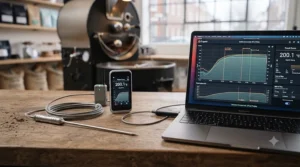
A roast profile, in the simplest useful sense, is a record of bean temperature (and ideally environment temperature) plotted against time across an entire roast — from charge, through the drying phase, into first crack, and on to your chosen drop point. The value isn’t the graph itself; it’s what a saved profile lets you do afterward: compare this roast against a previous one on the same beans, spot exactly where a batch diverged from a result you liked, and adjust heat or airflow at the right moment next time rather than guessing.
Free software such as Artisan is widely used in the home-roasting community specifically because it can read live data from compatible meters — including data-logging units like the Mastech MS6514 — and turn a raw stream of numbers into a readable curve automatically. Getting started doesn’t require every input Artisan supports; even manually noting bean temperature at 30-second intervals on a single-probe thermometer, then plotting it by hand afterward, teaches you far more about your specific roaster’s behaviour than roasting by instinct alone. The jump to a logging-capable meter simply automates a process that’s worth doing manually first, so you understand what the software is actually showing you once you do upgrade.
Long-Term Cost & Maintenance
Thinking in terms of total value rather than sticker price changes which thermometer looks like the smart buy. A £17 instant-read unit used for occasional spot-checks might last several years with minimal wear, since it’s only in contact with heat for seconds at a time. A £30 dual-probe unit used weekly, with probes permanently exposed to roasting heat and chaff residue, faces genuinely more wear — probe cables are usually the first component to degrade, typically from repeated flexing near the connector rather than from heat exposure alone.
| Comparison | Occasional Instant-Read Use | Weekly Dual-Probe Use |
|---|---|---|
| Typical lifespan | Several years | 1–3 years for cables |
| Main wear point | Battery, hinge mechanism | Probe cable near connector |
| Replacement cost | Full unit, low cost | Often just the probe |
| Best For | Casual, infrequent roasters | Regular roasters wanting profile data |
The table above makes the maintenance calculation fairly clear: for anyone roasting weekly, budgeting for an eventual replacement probe — such as the General Tools TPK900 — is more realistic than expecting a full dual-probe unit to last indefinitely. Storing probes coiled loosely rather than tightly wound, and wiping chaff residue off the tip after each roast, genuinely extends usable life across every product on this list, regardless of price point.
Safety Guide for Home Roasting Thermometers
Coffee roasting generates real heat, smoke, and flammable chaff, so a few practical safety points are worth knowing alongside your thermometer purchase. General fire safety guidance for householders, published via gov.uk’s guidance on fire safety at home and at work, applies directly to home roasting setups — chaff in particular is highly combustible and should never be allowed to accumulate near a heat source, whether you’re using a converted popper, a stovetop pan, or a dedicated drum roaster.
On the equipment side, always check a probe cable’s stated maximum temperature before letting it rest against a hot drum wall or heating element directly, rather than only in the bean mass or airflow — cable insulation can degrade well before the sensor tip itself fails, which is a genuinely easy oversight when focus is on the reading rather than the cable’s physical position. Battery-powered meters should be kept away from direct heat and moisture, and rechargeable units like the Inkbird IHT-1P should be charged away from the roasting area itself rather than mid-session, both for battery safety and to avoid chaff dust settling on an open charging port.
Features That Actually Matter (And Those That Don’t)
Genuinely worth paying for: dual-probe capability if you’re serious about roast profiling, a fast response time for accurate spot-checks, and probe cables rated comfortably above your expected roasting temperatures rather than right at the edge. USB or software logging capability is also worth the added complexity for anyone who wants to move beyond casual roasting into genuinely repeatable results — this is where the Mastech MS6514 earns its place over simpler kitchen-style units.
Less important than the marketing suggests: extreme maximum temperature ratings in the thousands of degrees add little practical value for coffee specifically, since bean and environment temperatures during roasting rarely approach even a third of what units like the Fluke 51 II are rated for — that headroom matters for industrial or laboratory use far more than for a home roaster. Similarly, elaborate preset food modes and alarm libraries designed for meat cooking are irrelevant clutter for roasting use; a simple, reliable high/low alarm you can set manually, like the one on the ThermoPro TP17, does everything a roaster actually needs without the extra menu-diving.
Frequently Asked Questions
❓ What is a probe thermometer for coffee roasting?
❓ Do I need a dual-probe thermometer for home coffee roasting?
❓ What temperature range does coffee roasting actually need?
❓ Can I use a meat thermometer as a probe thermometer for a roaster?
❓ How do I start building a roast profile at home?
Conclusion
There’s no single “best” probe thermometer for coffee roasting — only the right one for how seriously you’re taking the hobby and what your roasting setup actually allows. For anyone just starting out, the budget instant-read picks — the ThermoPro TP19H and Inkbird IHT-1P — genuinely deliver enough information to catch first crack reliably without overcomplicating things. For dedicated home roasters ready to track and repeat proper roast profiles, the dual-probe ThermoPro TP17 and ThermoPro TP20 are the sensible next step, with the data-logging Mastech MS6514 waiting as the natural upgrade once you want saved, comparable curves rather than just live numbers.
Whichever you choose, the underlying logic holds throughout this guide: match the instrument to your actual roasting setup and ambition rather than chasing the most impressive spec sheet. A laboratory-grade meter is wasted on someone who just wants to catch first crack consistently, and a basic single-probe unit will frustrate anyone determined to build genuinely repeatable roast profiles. Buy honestly for where you actually are in the hobby, check current pricing before ordering since these shift with stock and promotions, and you’ll get a genuinely useful upgrade to your roasting process either way.
✨ Don’t Miss These Exclusive Deals!
🔍 Take your home coffee roasting to the next level with these carefully selected picks. Click through to check current pricing and availability on amazon.co.uk before your next roast. Getting real bean temperature data could be the difference between a good batch and a repeatable one!
Recommended for You
- Digital Coffee Thermometer: 7 Best Picks for Perfect Brews in 2026
- 7 Best Milk Thermometer for Latte Art UK 2026: Perfect Pours
- Best Coffee Brew Timer 2026: 7 Picks for Perfect Extraction
Disclaimer: This article contains affiliate links. As an Amazon Associate, I earn from qualifying purchases. If you purchase products through these links, we may earn a small commission at no additional cost to you.
✨ Found this helpful? Share it with your friends! 💬🤗
